How to Purchase via CNBuyHub
Method
1:
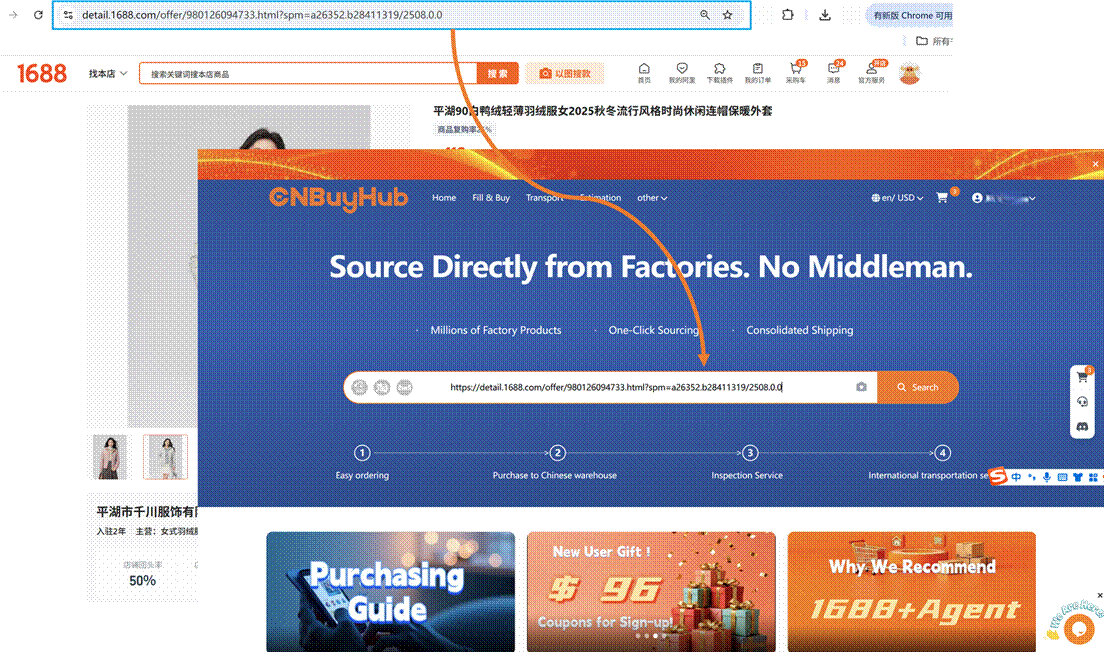
Find the product you want to purchase, copy its
link, and paste the product URL into the search box.
Method
2:
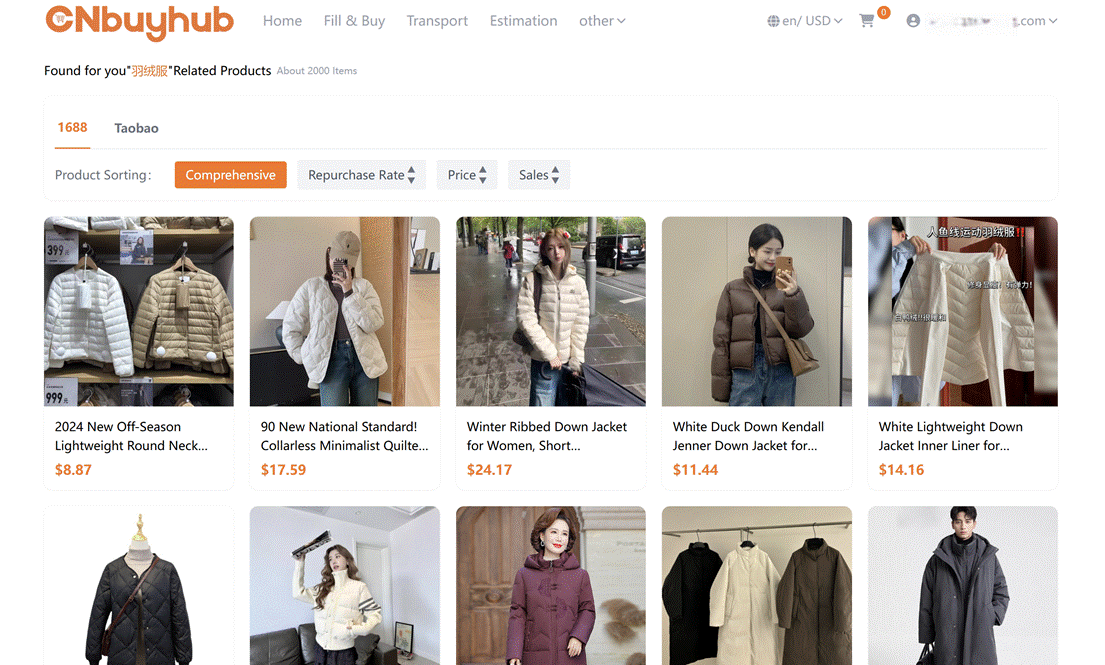
Enter the product name in the Superbuy
search box and choose from the recommended products on Taobao, Tmall, or 1688.
Step 2: Submit Purchase Request
Method
1:
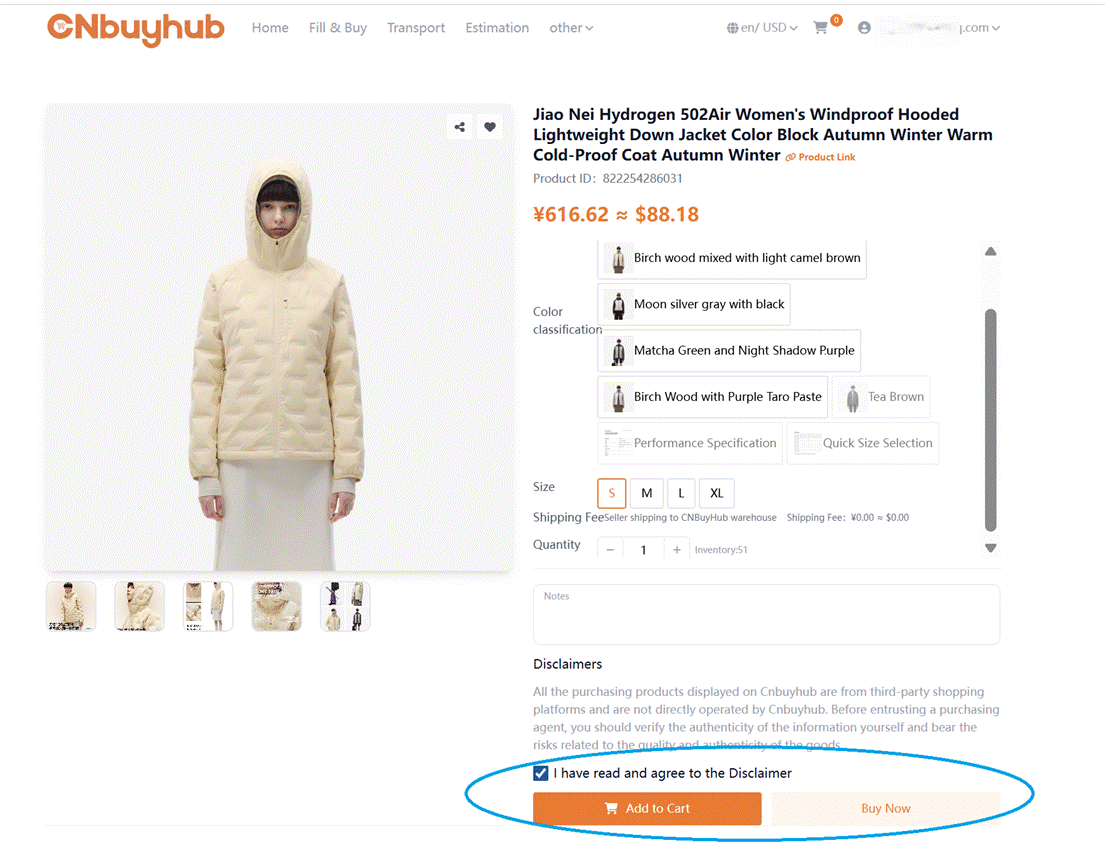
CNBuyHub can fetch information for 99%
of products on Taobao, Tmall, and 1688.com. You can directly select the
product’s color, size, and quantity, then click “Add to Cart” or “Buy Now.”
Method
2:
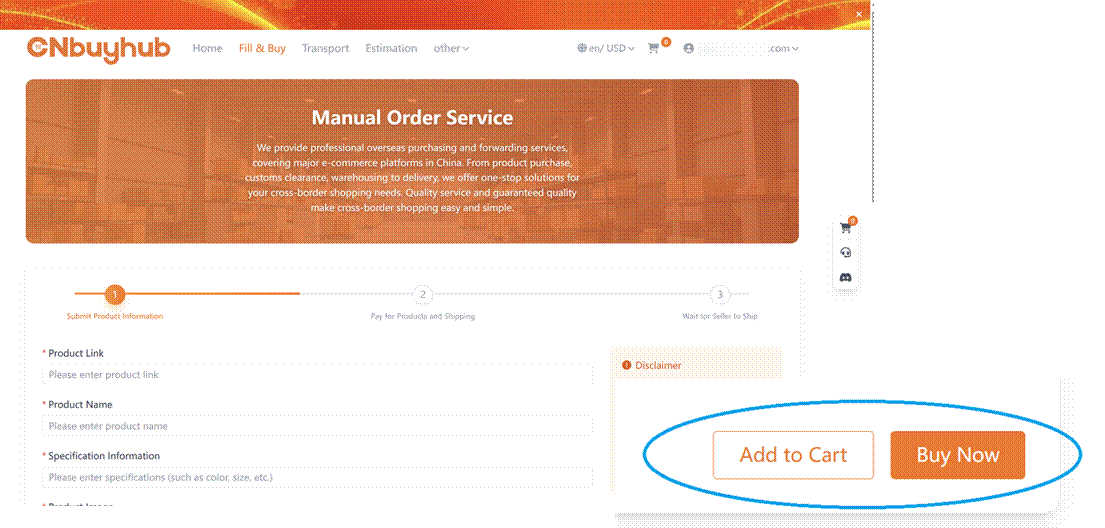
When purchasing products from the above platforms,
if a “Purchase Form” page appears, you need to fill in the product order
information yourself, then click “Add to Cart” or “Buy Now.”
Choose your payment method and pay for the product
price and Mainland China shipping fee.
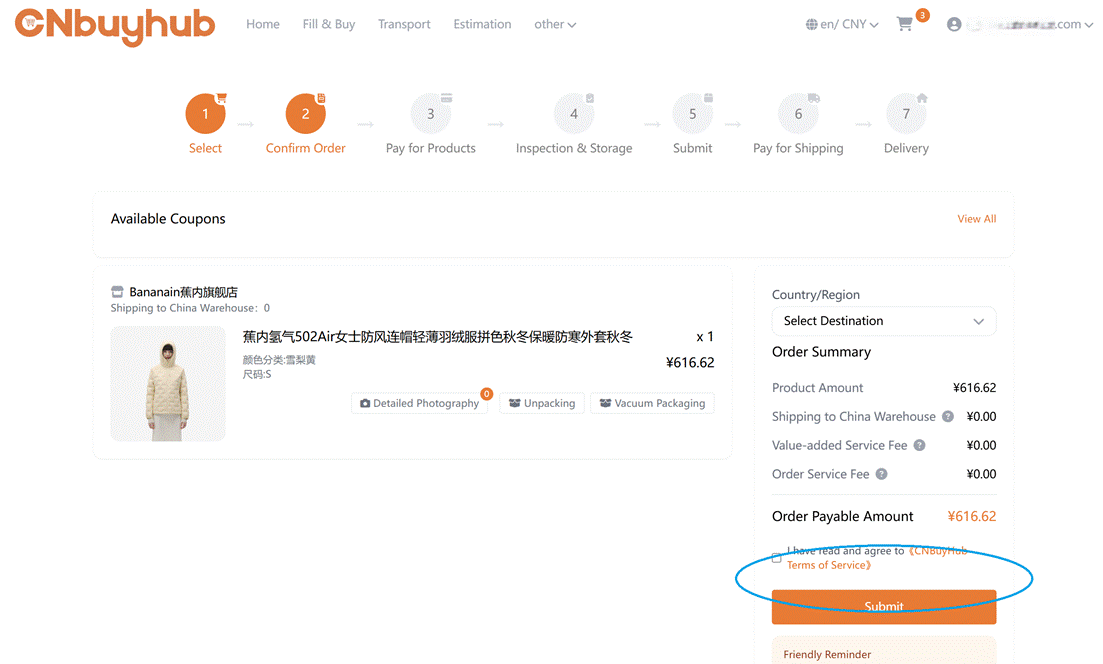
TIPS:
•
Supports multiple currencies, including foreign
currencies and RMB.
•
Payment methods include PayPal, account balance,
and bank transfer.
•
Fill in the shipping country and any purchase
notes. If you need value-added services, select the corresponding options and
submit the order after verifying all information.
Step 4: CNBuyHub Purchases the Product
CNBuyHub will contact the seller to order the
product for you.

Step 5: CNBuyHub Inspection & Warehousing
Products are inspected, weighed, and stored in the
warehouse. After warehousing, they will appear under “My CNBuyHub” → “My Warehouse.”
TIPS:
•
We conduct strict professional inspections upon
warehousing and take photos of the products for your review. Any issues are
reported and resolved promptly.
•
The inspection standard for 1688 products differs
from other products. For details, see CNBuyHub 1688 purchasing service
description.www.CNBuyHub.com/index/help/index.html?id=149
•
You can either submit the warehoused products for
overseas shipping (Steps 6–9) or purchase more products and combine them before
shipping (repeat Steps 1–5, then continue Steps 6–9).
•
Our warehouse offers 60 days of free storage.
•
Combining multiple products in one shipment saves
international shipping fees.
In “My
Warehouse,” select products and click Submit
Package, fill in the overseas recipient address, and choose from the
recommended shipping options.
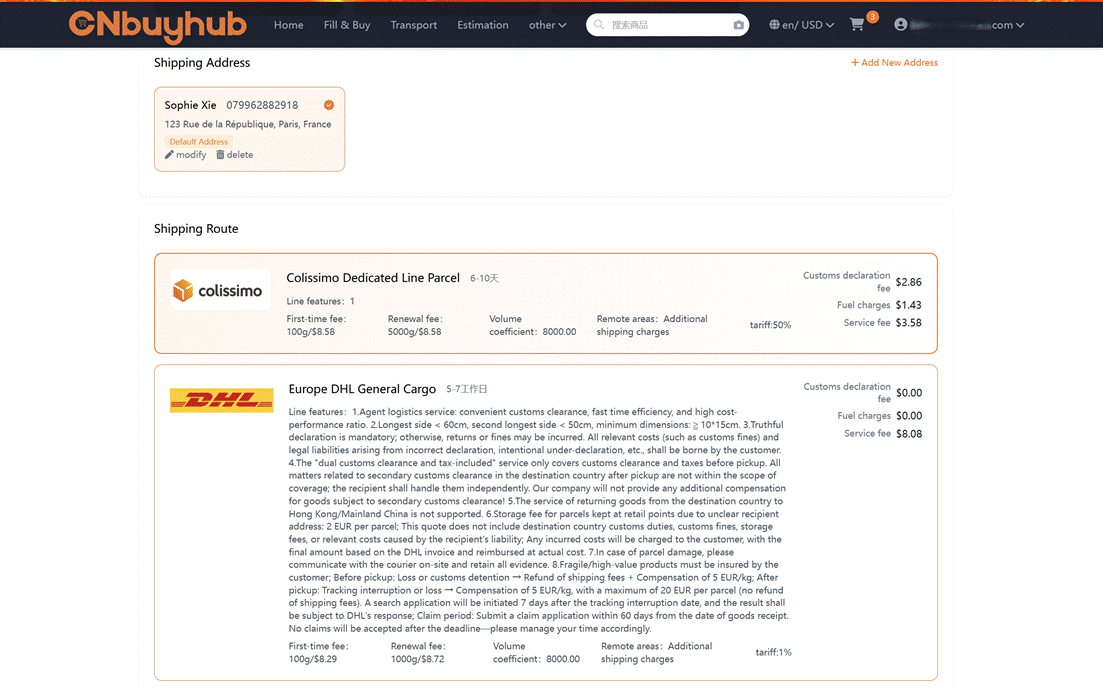
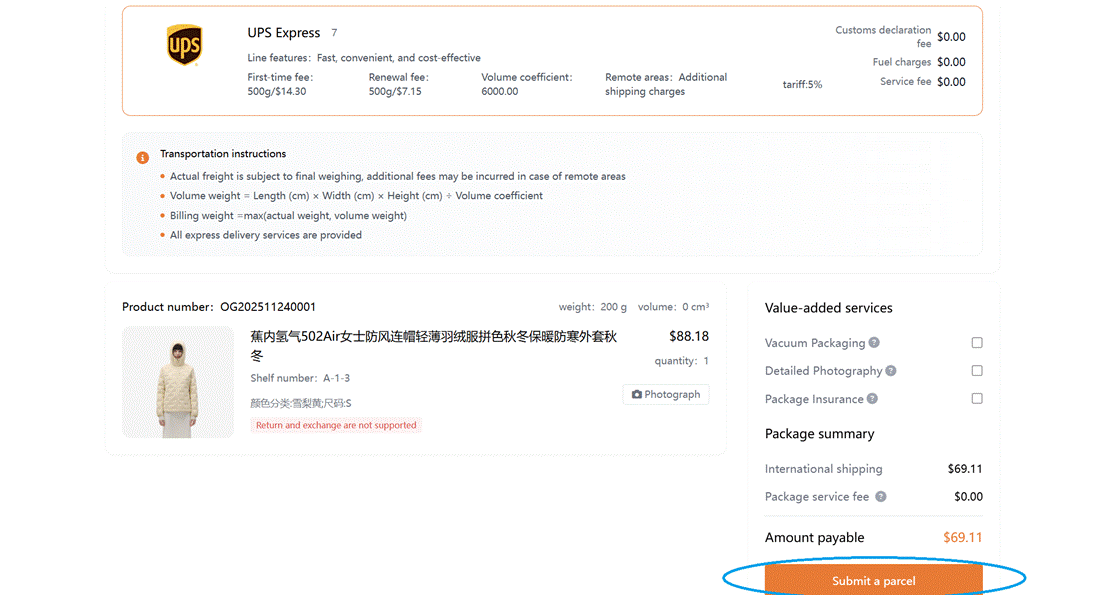
TIPS:
•
Some products have shipping restrictions; not all
logistics options are available. We filter and provide the usable options for
you to choose from.
•
We offer packing, reinforcement, and insurance
services. If needed, we will pack according to your instructions.
After receiving your package request, CNBuyHub will
review the products and selected shipping method. If your items cannot be
shipped together (e.g., general goods and sensitive items), new shipping
suggestions will be provided.
Step 8: Pay International Shipping
Choose a payment method and pay for international
shipping and customs fees.
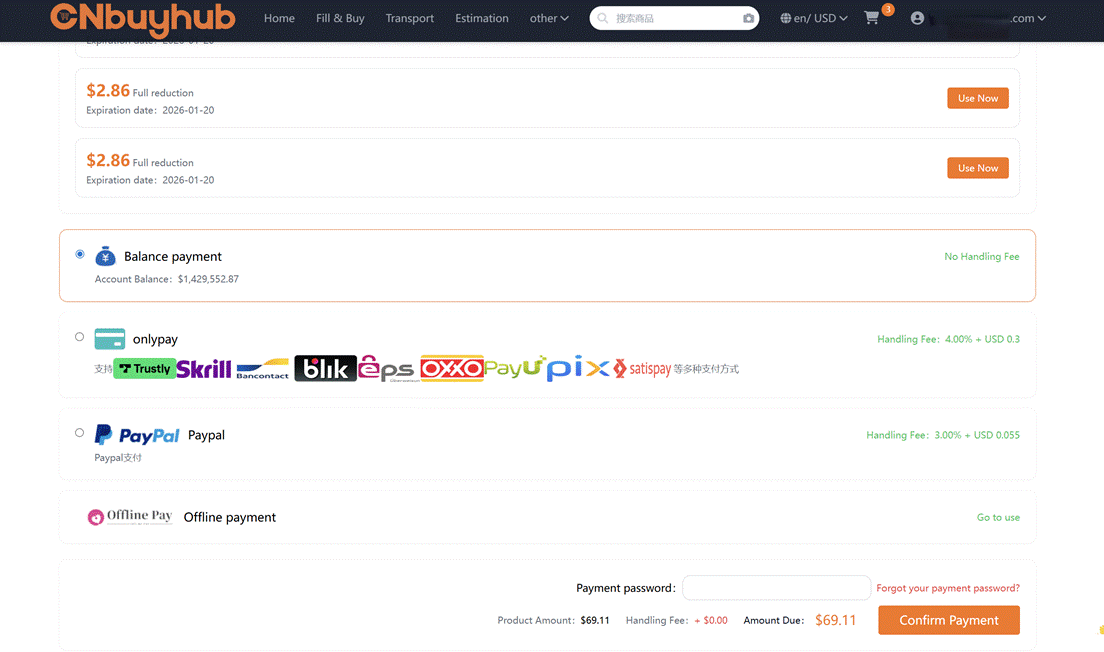
TIPS:
•
The international shipping deposit is calculated
based on estimated weight, chosen shipping method, and destination.
•
The final shipping fee is based on the carrier’s
verified package volume and weight. Any difference from the deposit will be
refunded to your CNBuyHub account after shipment.
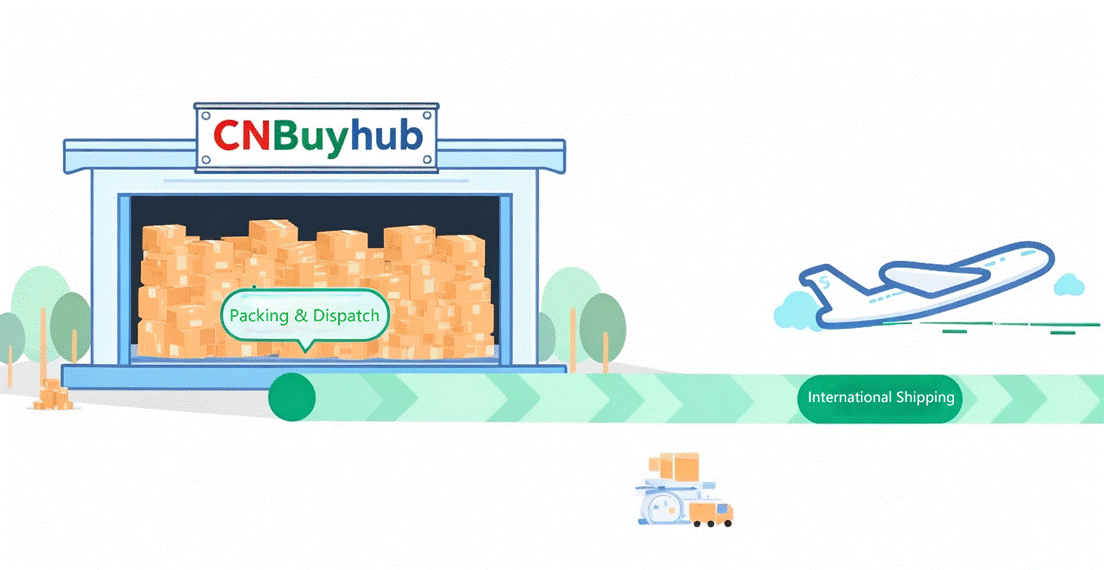
Step 9: CNBuyHub Ships the Package
Products are combined, packed, reinforced, weighed,
and shipped.
TIPS:
•
After shipment, you can track logistics under “My CNBuyHub” → “My Packages.”
Track the shipment progress in the package list.
TIPS:
•
During international shipping, unexpected events
may occur, such as delays, confiscation, customs taxes, damage, or loss. CNBuyHub
cannot control third-party logistics or customs. However, CNBuyHub will notify
you in advance about potential risks and assist you when issues arise.
After receiving your package, confirm receipt in “My CNBuyHub” → “My Packages.” If there
are issues, contact customer service for after-sales support.